> For the complete documentation index, see [llms.txt](https://docs.quotesnap.net/llms.txt). Markdown versions of documentation pages are available by appending `.md` to page URLs; this page is available as [Markdown](https://docs.quotesnap.net/faq/quote-form.md).
# Quote Form
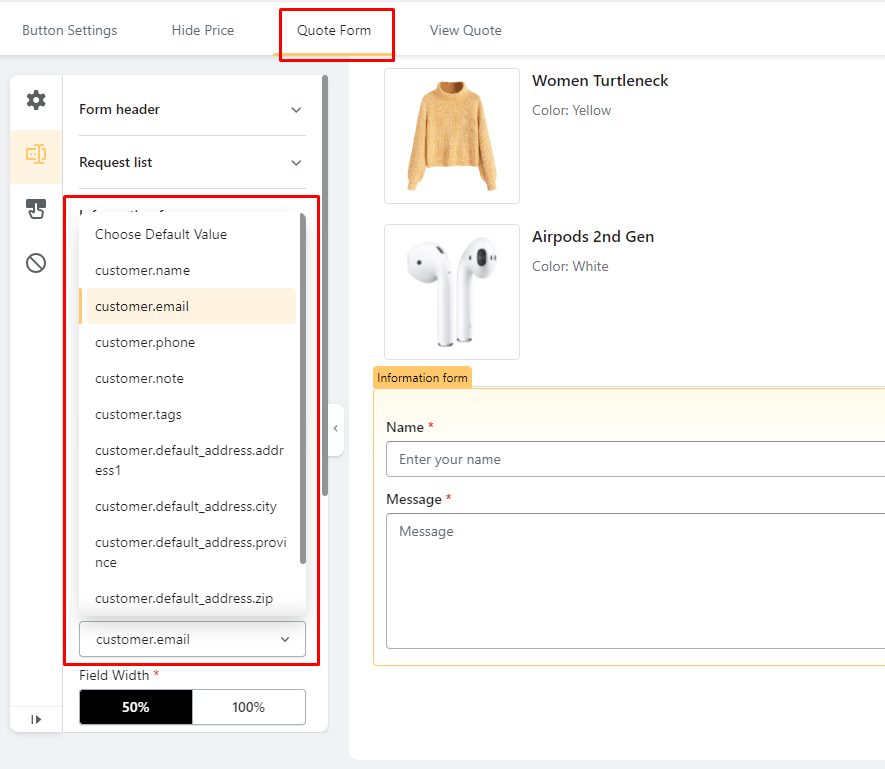
**1. I want to connect the request to the account registered/logged-in so they don't need to write their information for each request.**\
\
→ Please go to Collect Quote -> Form Builder -> select the option Default Value
**2. I want to set the min and max for the phone number in Quote Form.**
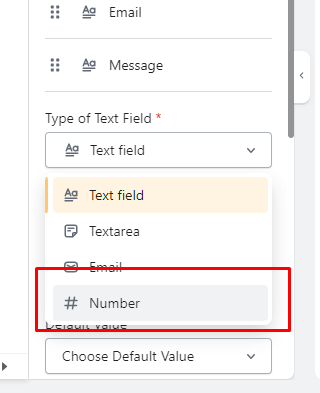
Add one more field in **Form Builder** -> Choose **Text field** -> Choose #**Number.** Then you can set the maximum digits for your country phone number.
If you sell overseas and you need to fill in country code in phone number (+1, +34...), choose **Text field** instead of #**Number.**
**3. How can I translate my form into my website language?**
We still not have auto-translate feature. If you want to change the language, contact us in live chat in app so our Customer Support can support you.